
How it works
See the whole product before you sign up
Every screenshot on this page is the real product. Nothing here is a mockup, and anything not shown is not claimed.
Guests book in three steps
No account, no app. A link, a calendar, two fields.
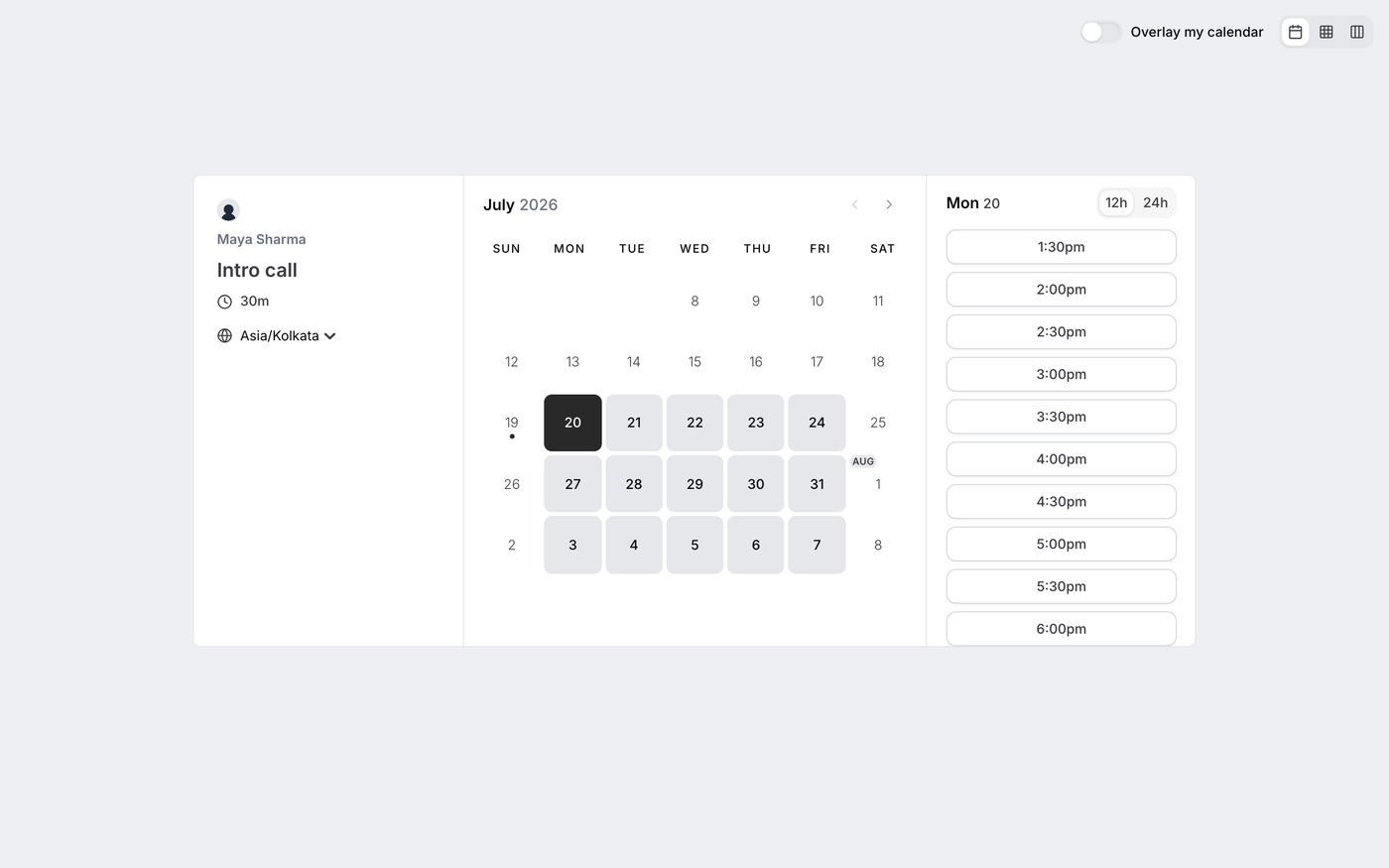
Open the link, see real availability
The booking page shows a month calendar with bookable days and a slot rail for the selected day. Guests can switch time zones (theirs is auto-detected), flip 12h/24h, and change the calendar view with the layout toggles.
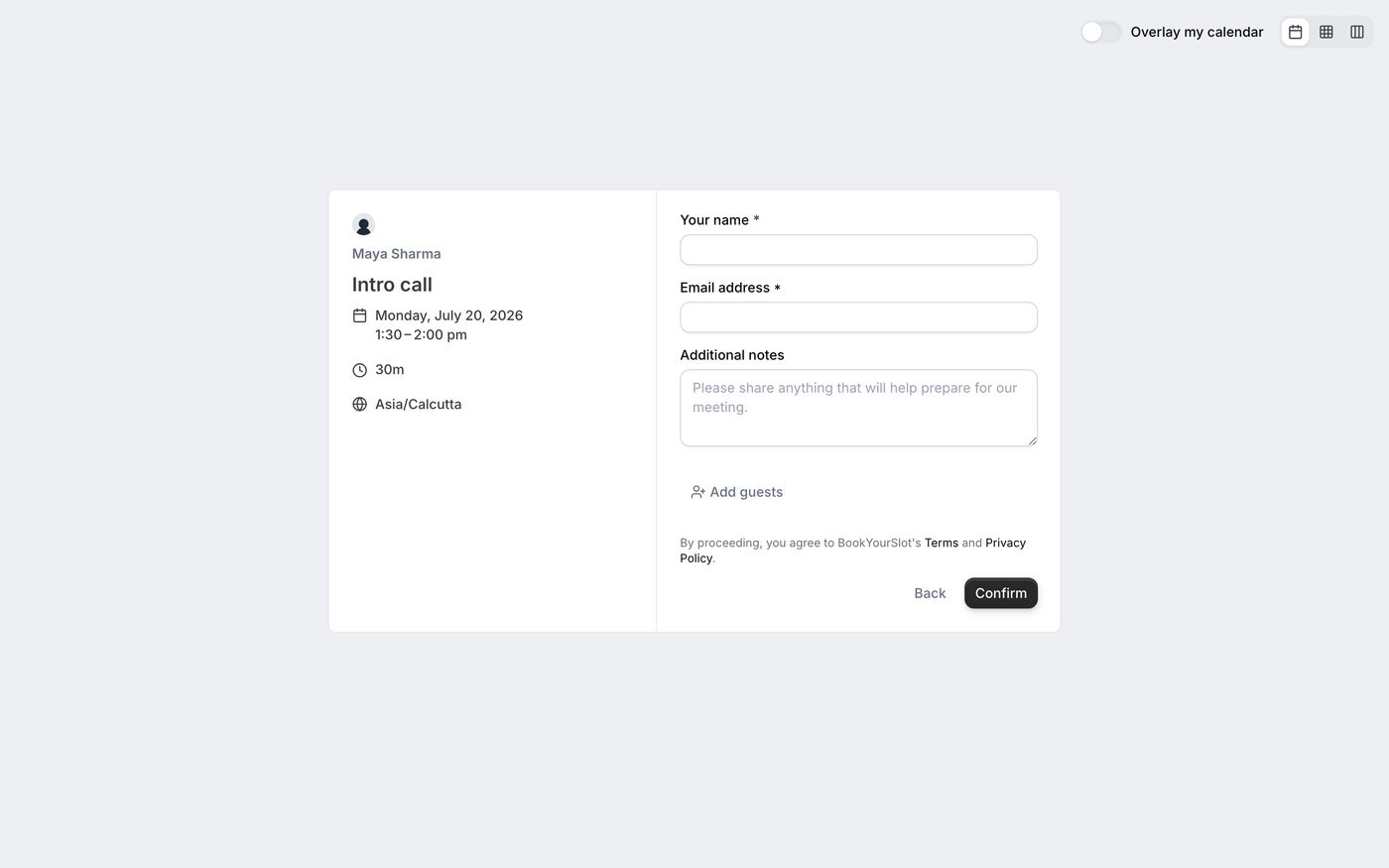
Two required fields
Name and email. Optional notes and extra guests. The left panel repeats exactly what is being booked, so nobody confirms the wrong thing.
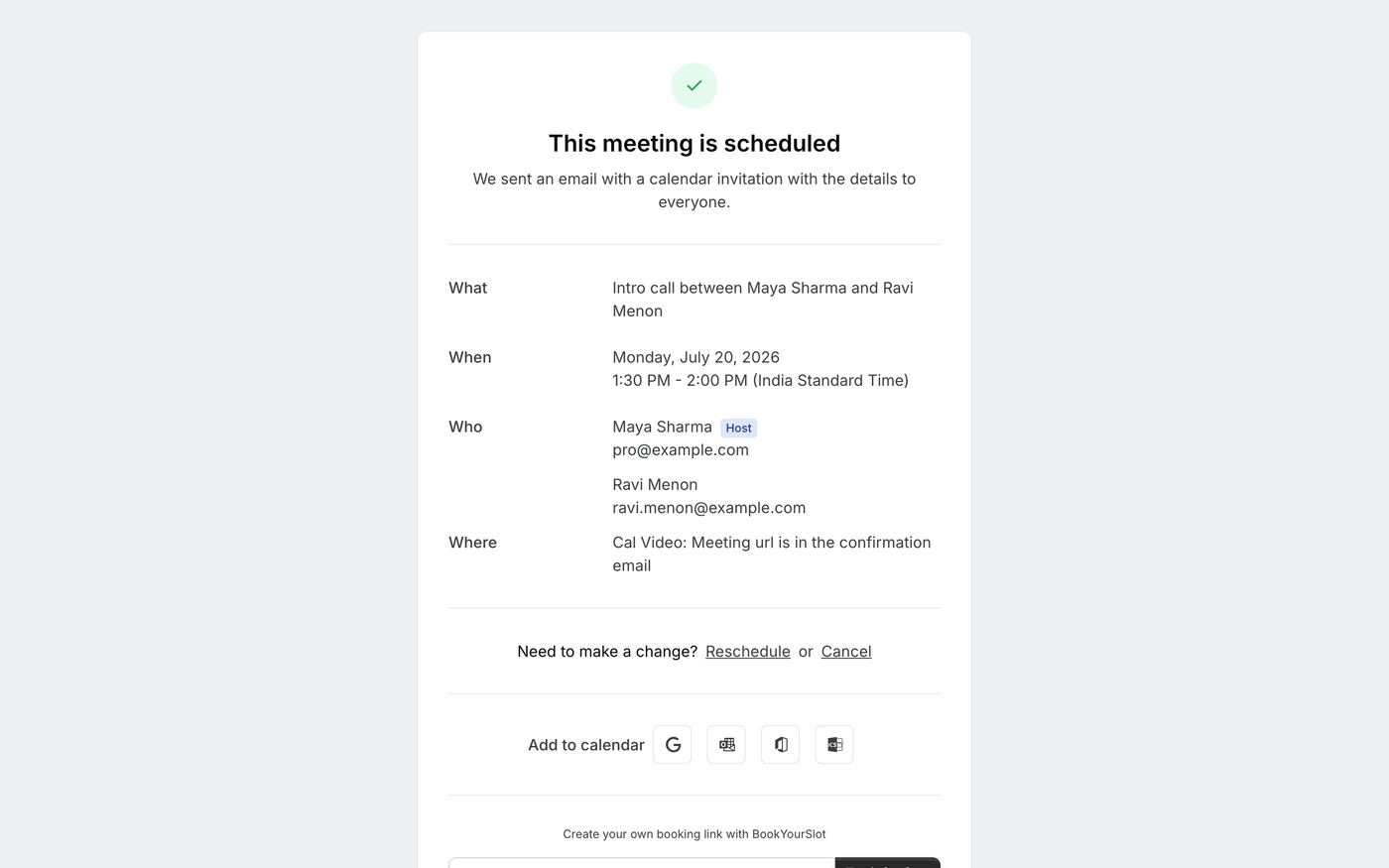
Confirmed, with an exit hatch
The confirmation page and email arrive instantly, both carrying reschedule and cancel links. Guests who need to move pick a new slot themselves and both calendars update.
Owners run the day from four screens
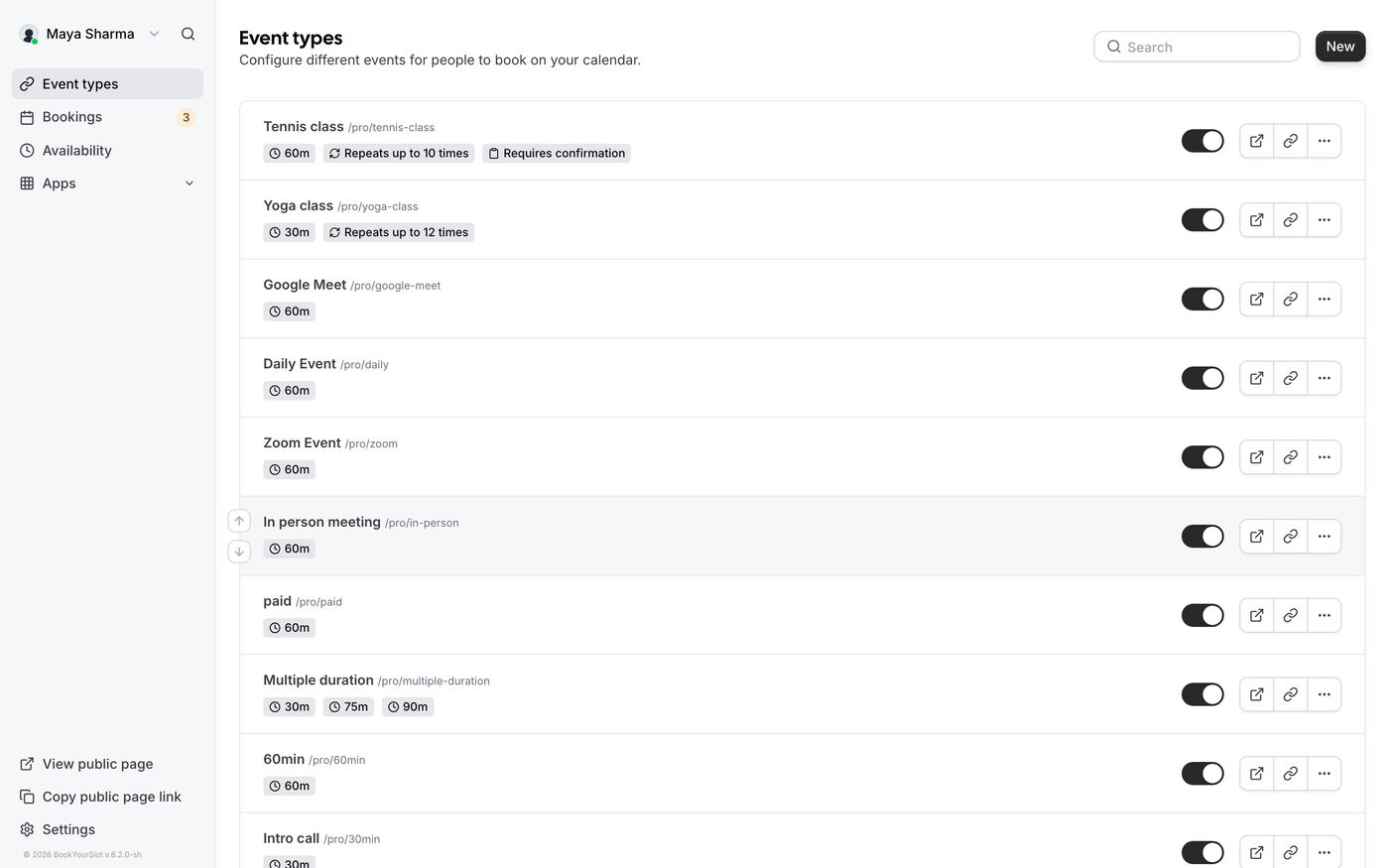
Event types
One event type per service, each with duration, buffers, location, minimum notice, booking limits, recurring sessions, or require-confirmation.
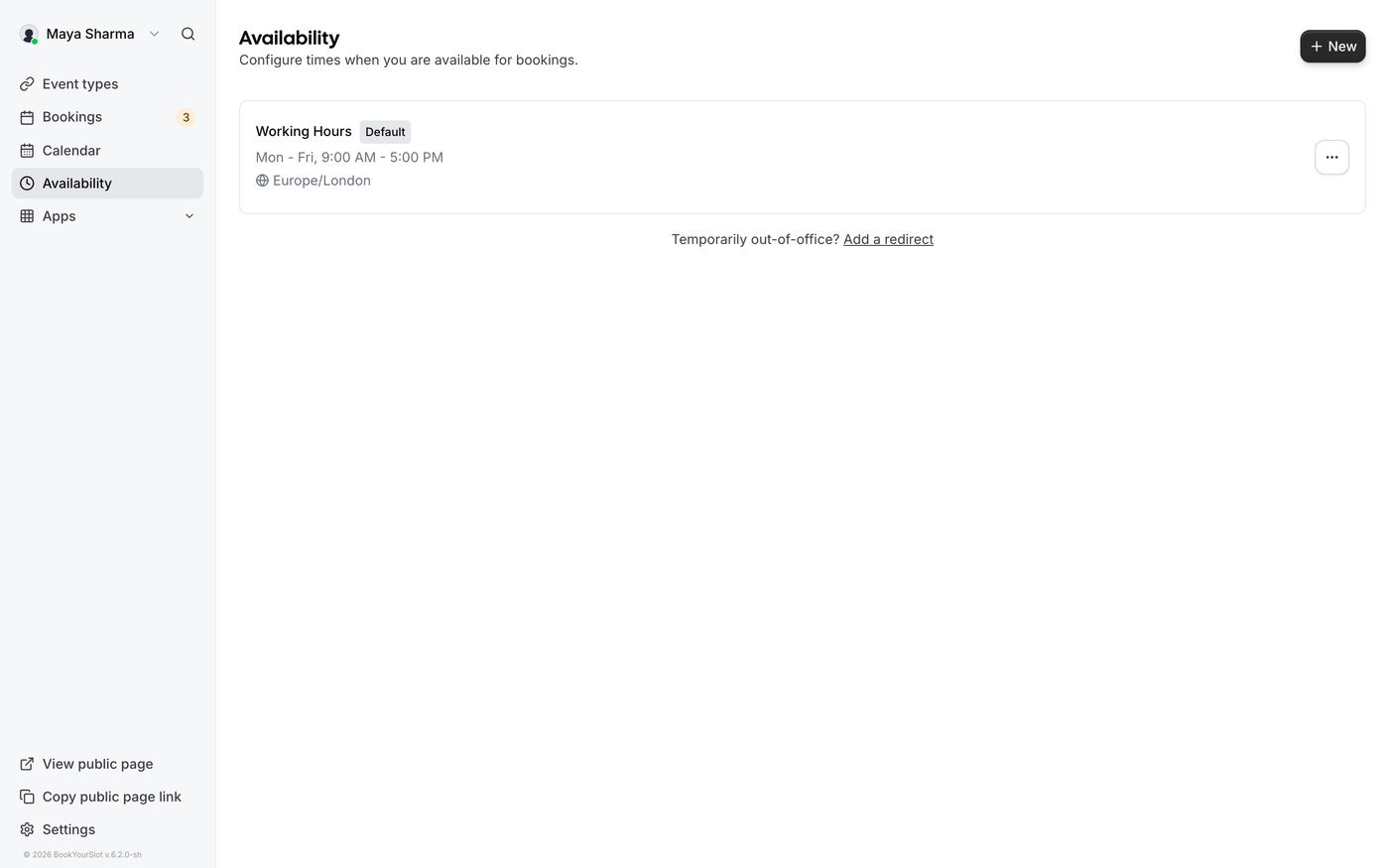
Availability
Weekly working hours plus date overrides for holidays. Multiple schedules are supported for different services.
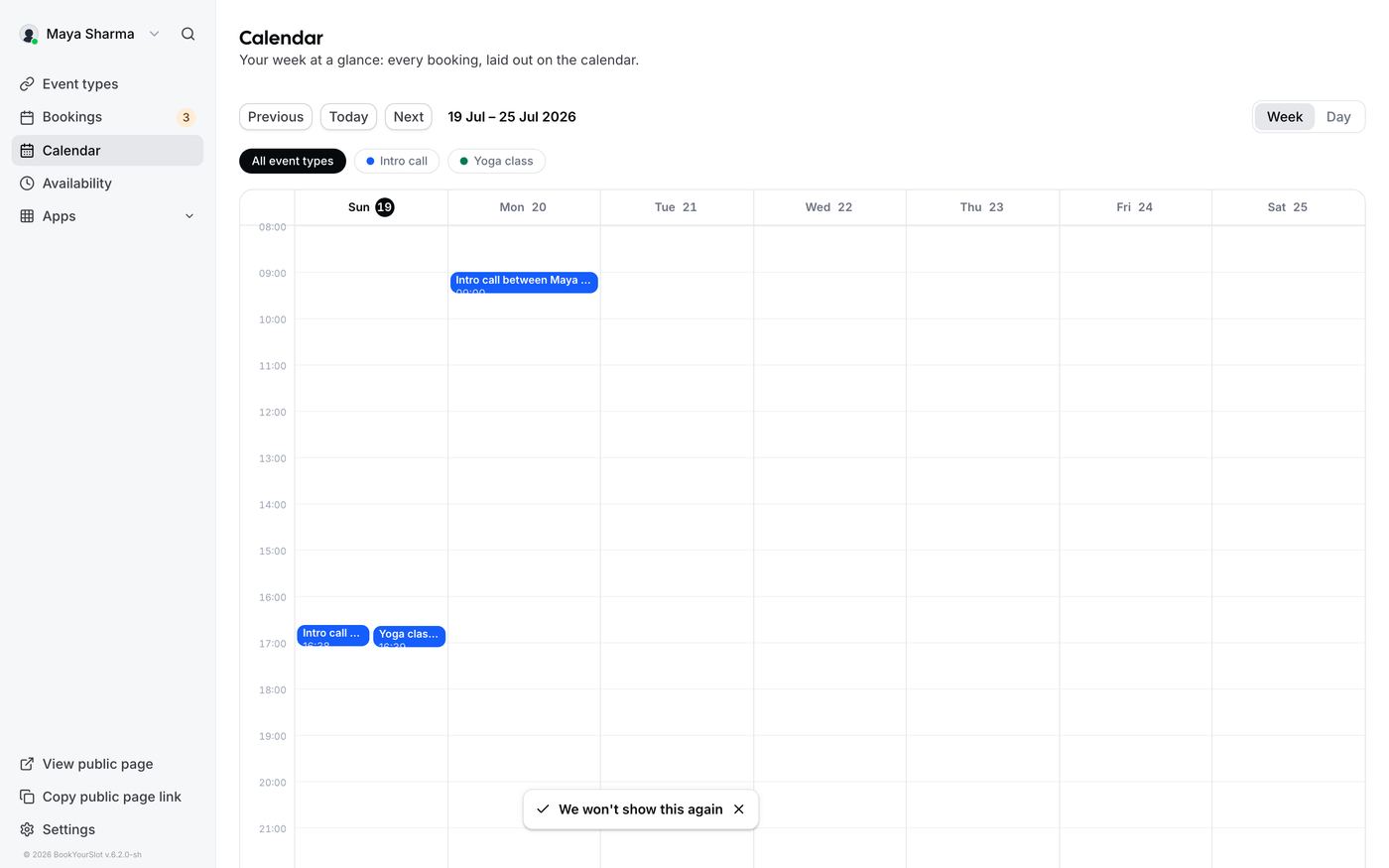
Calendar
Week and day views with hours that stretch to fit your real bookings, overlaps side by side, service filter pills, and click-through to every booking.
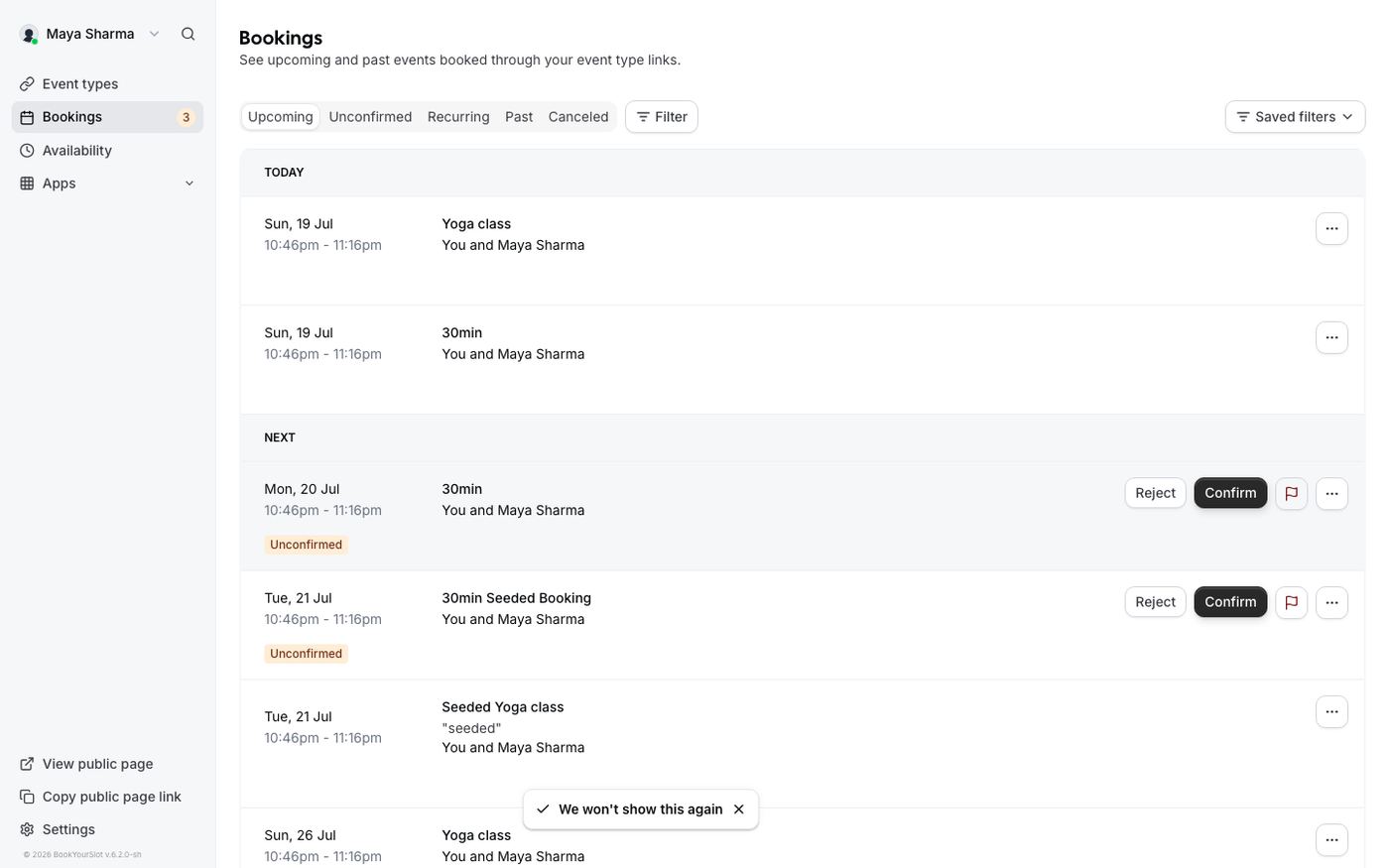
Bookings
Today and Next groups, tabs for Unconfirmed, Past and Canceled, and Confirm or Reject right on the row.
Live, verified
The screen stays current by itself
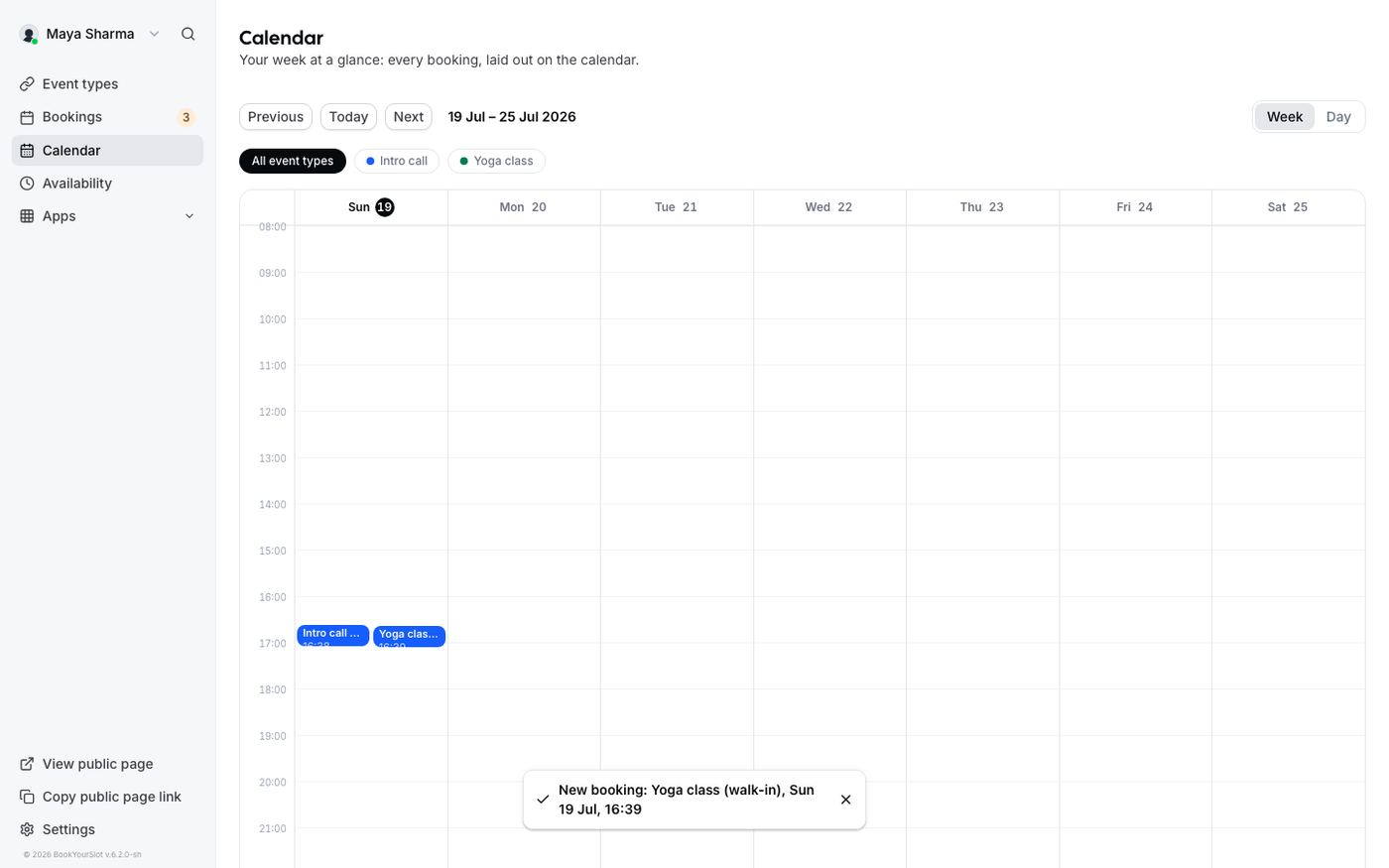
Mid-appointment, screen on, someone books online: the Calendar and Bookings pages quietly re-check every 30 seconds and on focus. New bookings slide in on their own and a toast announces them, so nothing lands unnoticed and nobody walks in unprepared. The screenshot below is our actual test: a booking created while the screen sat open appeared 22 seconds later, with zero refreshes.
Every setting, in its place
Three groups. Nothing hidden, nothing scattered.
My account
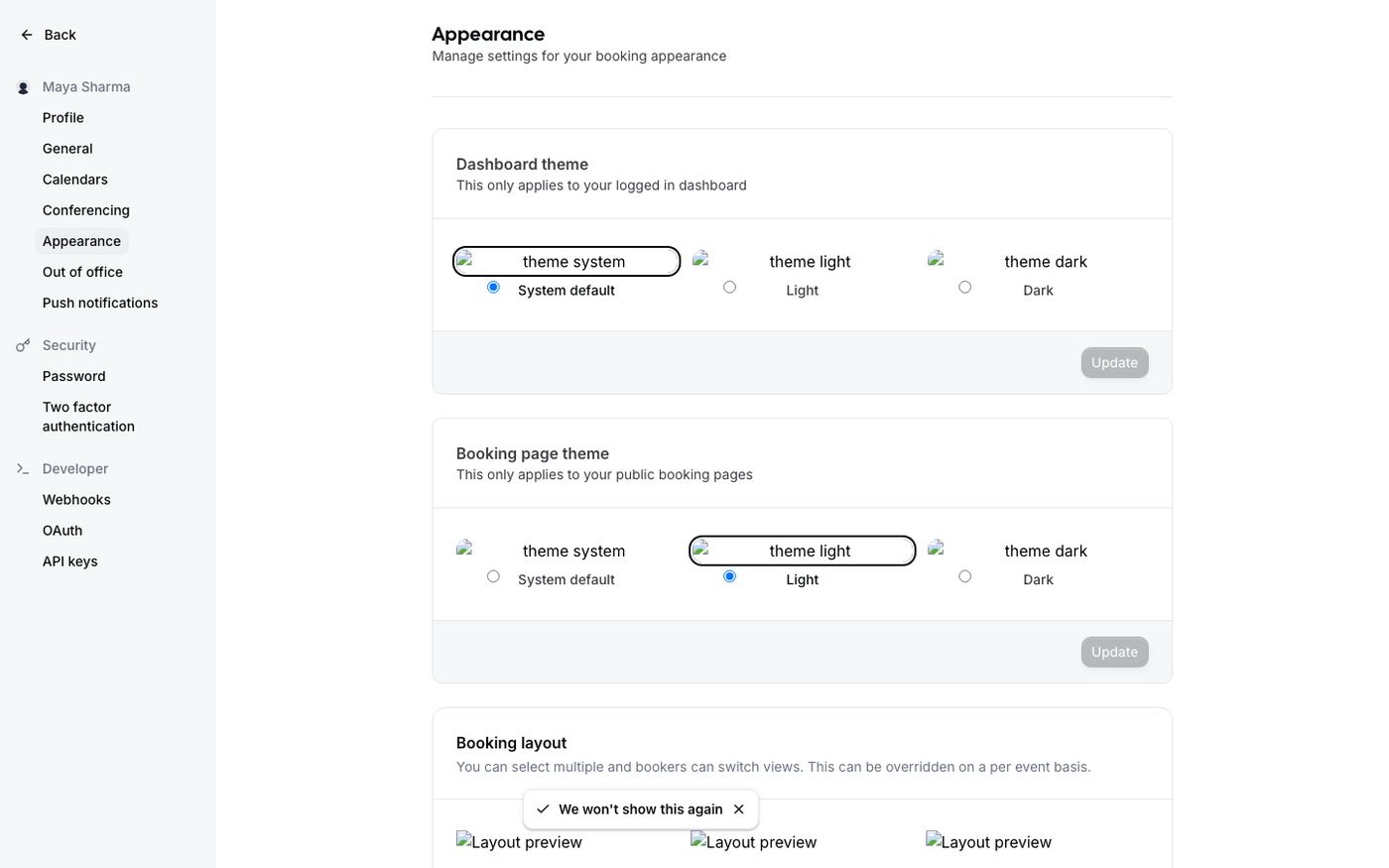
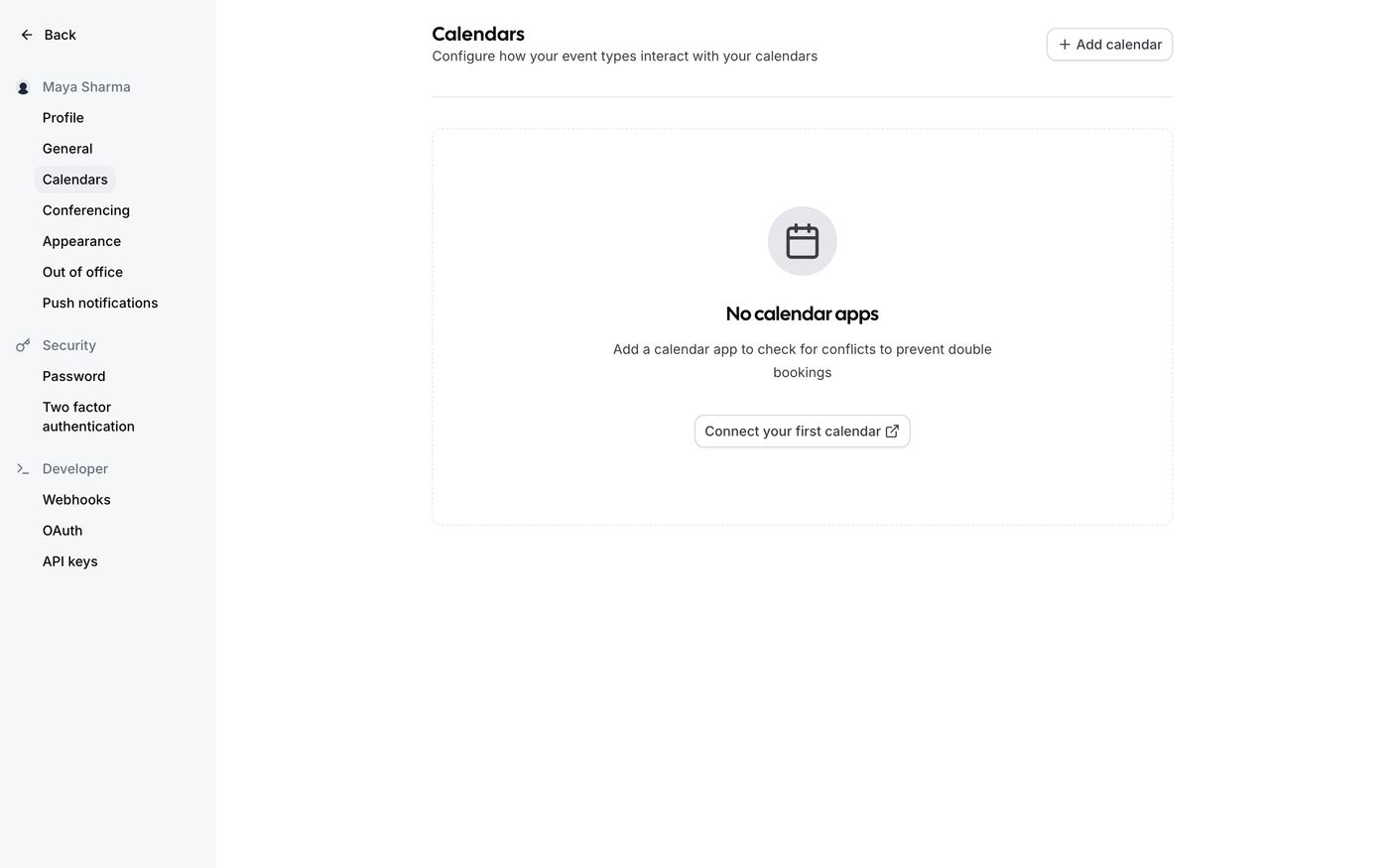
Profile (photo, name, your booking link) · General (language, time zone, time format, week start) · Calendars (Google or Apple connection, destination calendar, conflict checks) · Appearance (dashboard theme, booking-page theme, layouts, brand color) · Out of office
Security
Password · Two-factor authentication with backup codes
Developer
Webhooks for booking events · API keys · OAuth clients
Honest boundaries: pre-appointment reminders and shared team pages are on the roadmap and not in the product today. This page only shows what runs.